Landing Page Conversion Rate Optimisation for Roofers
You’re paying for Google clicks every week, but the phone isn’t ringing enough to justify the spend. Say you run a roofing company in Hamilton: the ads send homeowners to your homepage, where they find a company introduction, a gallery and a menu, but no obvious answer to the leak they need fixed. Before increasing the budget, check what happens after the click.
Table of Contents
- Why Most Roofing Landing Pages Waste Ad Spend
- What Conversion Rate Optimisation Measures
- Page Elements and Before and After Rewrites
- Accessible Forms and Mobile Fixes That Convert
- How to Test Page Changes Without Losing Leads
- Confirm Your Next Test This Week
Why Most Roofing Landing Pages Waste Ad Spend
An ad promises help with a leaking roof today, but the page makes the homeowner hunt for the answer. That mismatch is where wasted spend starts. You pay for the click whether the visitor books an inspection, gets confused or leaves.
A small layout problem becomes an ongoing expense when you keep sending paid traffic to it. A phone number buried below a large banner, for example, can get in the way of someone who’s already ready to call.
The scale of advertising makes that worth taking seriously. According to IDNZ figures reported by Longevity Media’s digital media benchmarks, New Zealand’s digital advertising market reached NZ$2.97 billion in 2025, increasing 12% year over year. That doesn’t prove your local roofing keywords became more competitive, but it’s good reason to demand commercial accountability from paid traffic.
The homeowner’s journey needs to lead somewhere useful.
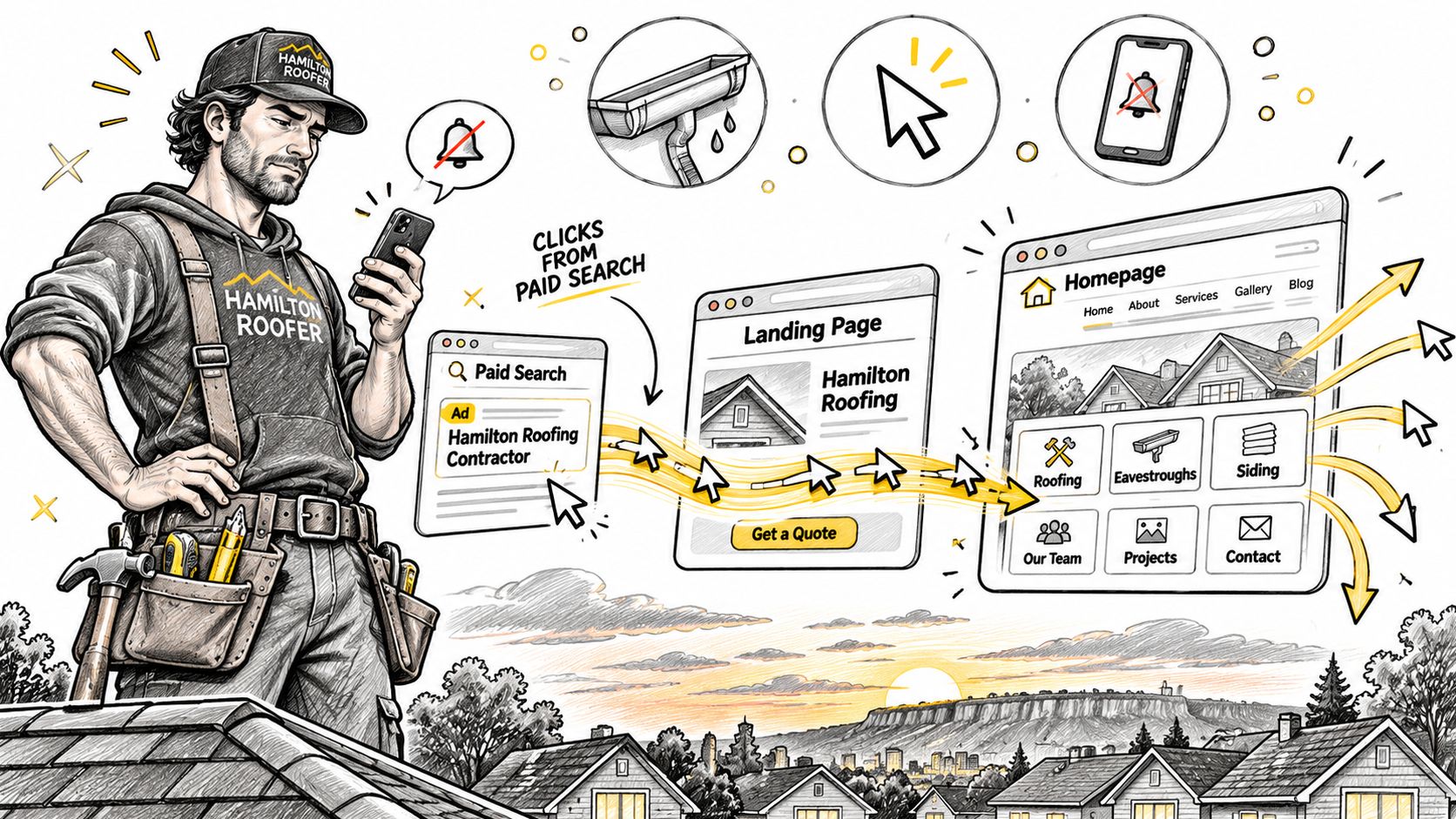
Give the page the doorstep test
Suppose a homeowner finds a leak at 7 pm. Open your page on a phone and give yourself ten seconds: can you tell whether the business serves the property, handles the problem and offers a sensible next action?
Don’t confuse a polished website with a useful sales conversation. For an overseas reference, Rhino Roofers’ Austin roof inspection and estimate resource is worth reviewing as a service-and-location-specific example, rather than as a template for NZ promises or terms.
Judge the page as you would a doorstep sales call: does the homeowner understand why they should let the conversation continue?
Useful optimisation connects the numbers, the wording, accessible mobile design and controlled testing. It doesn’t start with a new colour scheme or an animated roof graphic.
Treat your current page as a sales tool, not a brochure. Pull the last 30 days of paid traffic and count how many visits ended in a genuine call or form enquiry, then how many became inspections. Those are audit instructions, not an industry benchmark.
What Conversion Rate Optimisation Measures
A roof is a funnel for rain; a landing page is a funnel for visitors. The conversion rate tells you how much incoming traffic becomes an enquiry, rather than how many people arrive.
The basic calculation is enquiries ÷ visits × 100. For roofing owners, that’s only the starting point: an enquiry still needs to suit your location, services and available capacity.
The funnel analogy makes the distinction easier to see.
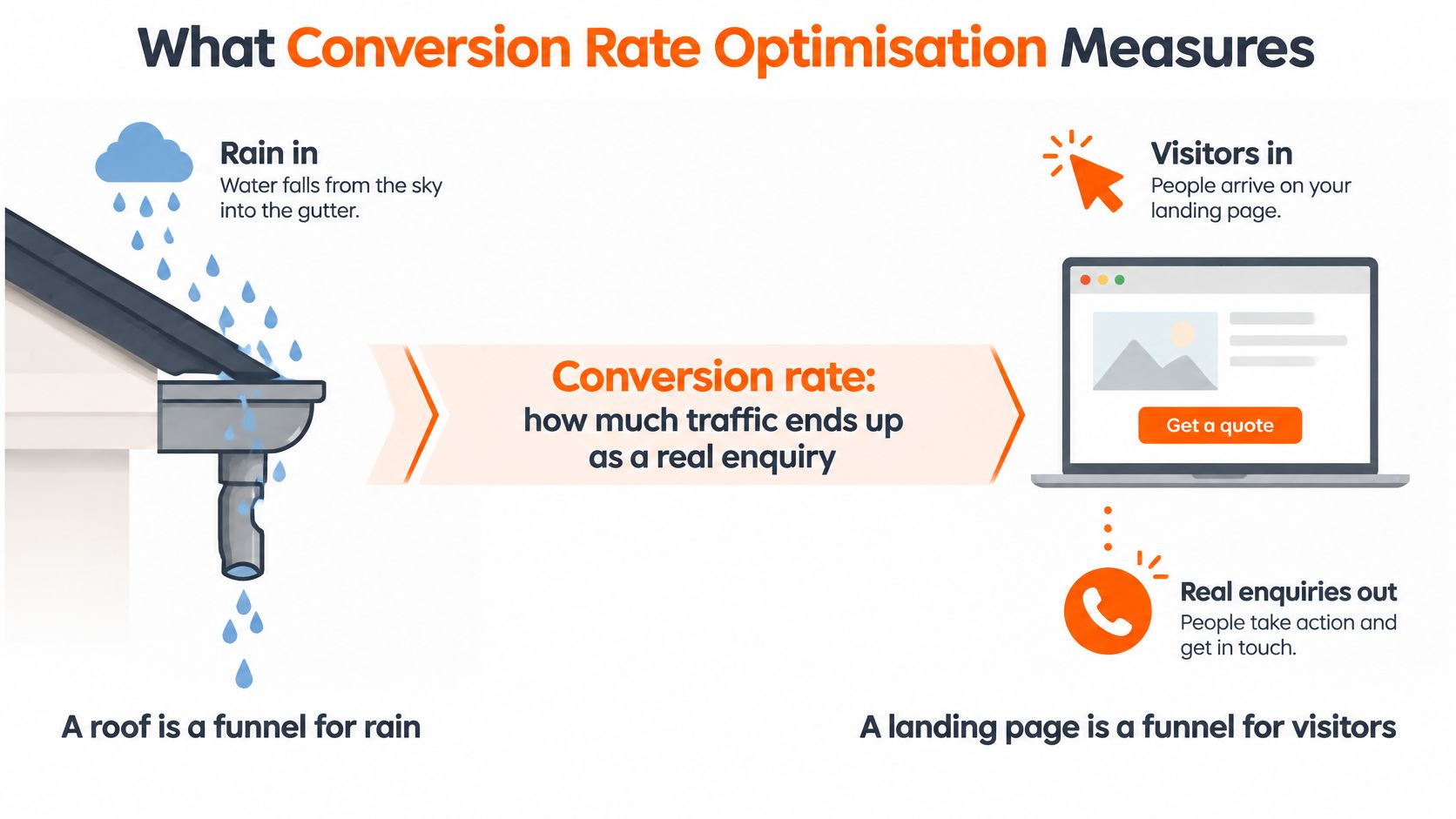
Core conversion metrics for a roofing landing page
| Metric | Formula | What it tells you | Reference point |
|---|---|---|---|
| Visit-to-enquiry rate | Enquiries ÷ visits × 100 | How well the page converts ad traffic | 4.3% average for companies receiving 1,001–2,000 website visitors, in the 2026 Concentrate market-measures survey |
| Call rate | Phone calls ÷ visits × 100 | Whether homeowners prefer to speak to someone | Your previous period, split by device and service |
| Form completion rate | Submissions ÷ form starts × 100 | Where the form loses people | The existing form under comparable traffic |
| Cost per qualified lead | Ad spend ÷ qualified enquiries | Real cost of a worthwhile enquiry | Your own baseline from the last 30 days |
| Booked inspection rate | Inspections booked ÷ enquiries × 100 | Lead quality and fit with your service area | Your baseline for the same job type |
The Concentrate figure is a broad business-website sanity check, not a roofing landing-page target. Your urgent repair campaign and planned re-roof campaign serve different buying situations, so don’t force both towards an unrelated average.
Follow the enquiry through to the diary
A single conversion rate hides the value of the work. In a hypothetical example, a homeowner seeking a $300 repair represents a different opportunity from someone booking an inspection for a full re-roof. Neither is automatically a bad lead, but your margins and operating model determine which work you want.
Export visits from Google Analytics, spend from Google Ads, and enquiry outcomes from your call records or CRM. Keep phone and form enquiries separate initially, then remove duplicates where the same homeowner uses both.
Use paid and organic traffic as separate reporting groups. Branded organic visitors may already know you, while someone clicking a repair ad may be comparing unfamiliar roofers.
Your Google Ads conversion tracking should distinguish a phone-button tap from an actual call, and a successful form submission from a submit-button click. Add qualification and inspection outcomes afterwards so the advertising report reflects work your team can pursue.
For the doorstep-sales approach, the decisive measure is qualified inspections booked per ad dollar. Raw enquiry volume helps diagnose the page; booked opportunities help judge the business result.
Page Elements and Before and After Rewrites
At the doorstep, you wouldn’t introduce your company history before acknowledging the homeowner’s leaking ceiling. A landing page needs the same order: recognise the job, establish credibility and make the next action straightforward.
Missing clarity is usually the first fault to investigate, not missing design. The table below gives rewrite patterns, not guaranteed winners. Replace the example suburbs, availability and promises with details your business can substantiate.
Typical weak roofing page versus stronger version
| Page element | Typical weak version | Stronger version | Why it helps |
|---|---|---|---|
| Headline | Welcome to Smith Roofing | Roof leak repairs in your suburb, call for a same-week inspection | Matches the search the homeowner typed |
| Service split | One generic roofing services list | Separate sections for urgent repairs and planned replacement | Each buyer sees their own job first |
| Proof | Stock photos and a logo | Local project photos, reviews and NZ business details | Builds trust in a high-value purchase |
| Form | Eight required fields including a long message box | Name, phone, suburb, service and a short description | Fewer fields reduce avoidable effort |
| Privacy note | Hidden in the footer | Short note next to the form naming who will call and when | Addresses hesitation before submitting |
| Call-to-action | Contact us button only | Click-to-call button and form side by side | Gives urgent leak callers a faster route |
| Next step | No explanation after submission | When the roofer calls, whether an inspection is needed, whether the quote is free | Removes uncertainty about what happens next |
Read those patterns from the homeowner’s point of view. A suburb-specific headline is useful only if you serve that suburb; a same-week inspection promise belongs on the page only when your diary supports it. Otherwise, state that the homeowner can call to check availability.
Make the local business identifiable
Local identity matters to confidence. In the 2024 New Zealand Consumer Survey, only 16% felt they had the same rights buying from overseas websites as in a physical store, while 62% believed they had fewer rights.
A roofing enquiry isn’t the same as buying online, but the finding supports making your NZ identity clear. Use your real business name and contact details, and specify Auckland, Christchurch, Wellington or the actual districts you cover, rather than implying nationwide availability.
Project proof needs context. A genuine photo of completed long-run roofing in a suburb you serve, accompanied by an accurate description, tells the homeowner more than an unexplained stock image. Include licence and insurance signals where applicable, but don’t display credentials you can’t verify.
Practical rule: A believable, specific promise is more useful than a bigger promise your office can’t keep.
Let different roofing buyers recognise their job
The case for separating repair and replacement enquiries isn’t just cosmetic. Houzz’s 2023 New Zealand study reported that roofing-related upgrades reached 20% of surveyed homeowners, compared with 11% previously.
A planned replacement buyer may need to understand materials, inspection scope and quoting before making contact. An urgent repair caller needs to establish whether you can help and when. Don’t make either person read an undifferentiated catalogue of every trade service you offer.
Keep useful qualification, even when it adds a little effort. Asking for the suburb can prevent an out-of-area enquiry; demanding roof pitch or compulsory photos before contact can make a homeowner guess or give up. Ask what your office needs to route the conversation, then collect technical detail during assessment.
Accessible Forms and Mobile Fixes That Convert
Accessibility fixes are conversion fixes. If a homeowner can’t identify a field, operate a control or recover from an error, a persuasive headline won’t rescue the enquiry.
New Zealand Government digital-inclusion research found that disabled participants struggled with forms combining checkboxes and drop-down lists, missed fields, selected incorrect options and sometimes lost entered information. Poor labels, missing alternative text and content-heavy pages also interfered with understanding.
Design for homeowners using different devices, input methods and accessibility settings.
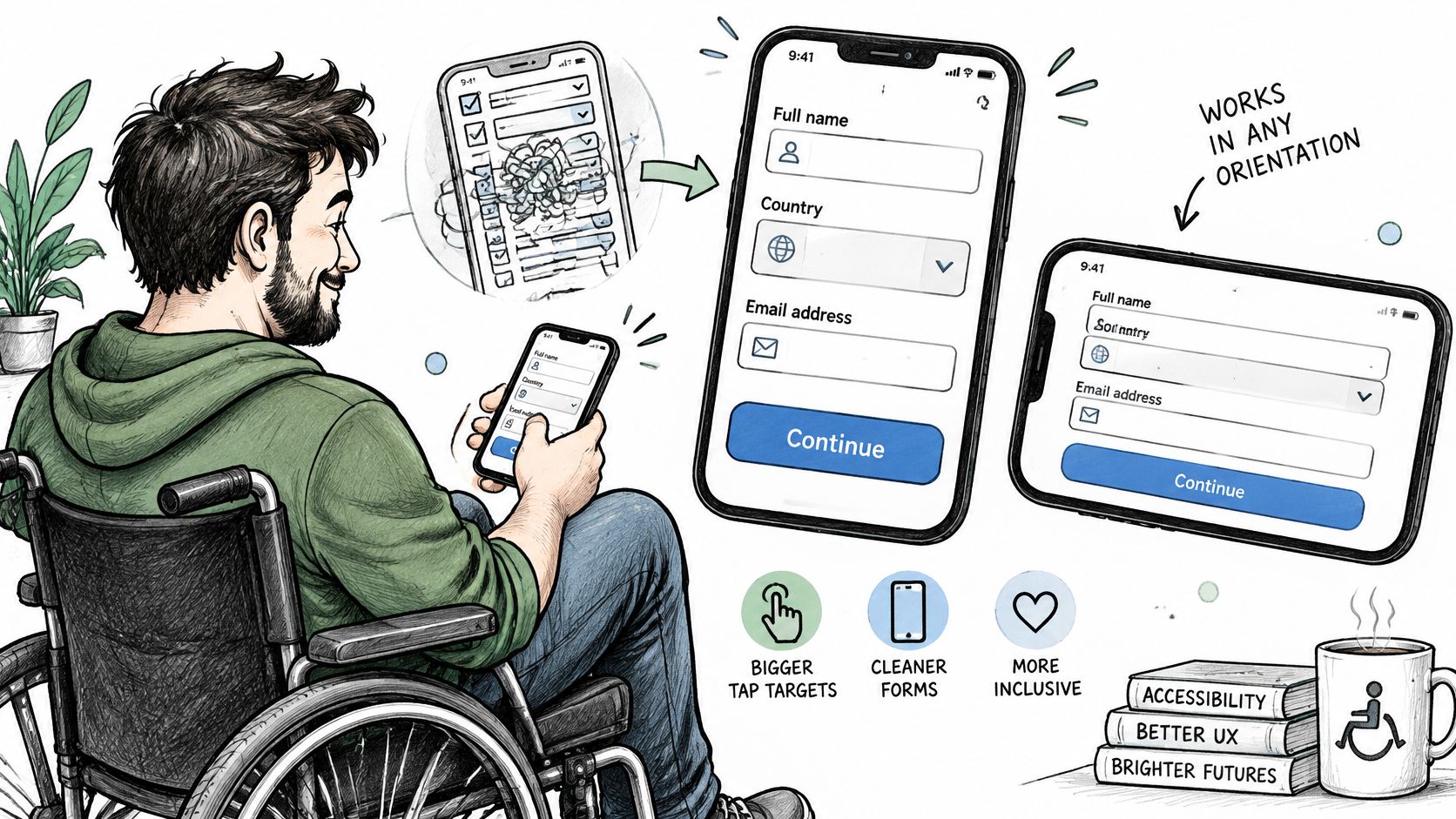
Fix the controls before adding features
- Keep labels visible. Put a descriptive label above each field. Placeholder text alone disappears when someone starts typing.
- Use a single-column mobile layout. Keep the reading and tab order predictable rather than making visitors jump between columns.
- Explain errors beside the field. Identify what needs correcting, and preserve the information already entered.
- Make touch and keyboard use practical. Give call buttons generous tap areas, keep controls keyboard-accessible and show a visible focus state.
- Check contrast and wording. Use readable text against its background and plain choices such as leak repair, rather than internal trade categories.
- Keep uploads optional. A homeowner shouldn’t need roof photos to ask for help. Provide a clearly labelled phone alternative.
Keep service details and inspection information in HTML, rather than requiring a PDF download. Add descriptive alternative text to informative images, and don’t place essential information solely inside a graphic.
Test the phone experience under ordinary conditions
About 95.7% of New Zealand’s population used the internet in early 2024, according to the International Trade Administration’s New Zealand digital-economy guide. That reach doesn’t guarantee a fast connection or an easy-to-use device.
Compress project photos, remove unnecessary scripts and test over a mobile connection, not only office Wi-Fi. Put the phone action and form entry point on the first screen where practical, without squeezing the controls into an unreadable space.
A useful roofing website design review includes completing the enquiry with a phone held in one hand, browser zoom enabled and a keyboard alone. Check the confirmation message as carefully as the initial form.
Judge these changes through qualified calls and booked inspections. Clear service categories can help your office route enquiries correctly, while accessible error handling helps homeowners finish what they started.
How to Test Page Changes Without Losing Leads
A page test needs a clear question, dependable tracking and a safe way to reverse the change. Don’t use paying homeowners as testers for broken forms: repair faults immediately, then experiment with alternatives that both work.
Use this simple process as a reminder of what the comparison needs to establish.
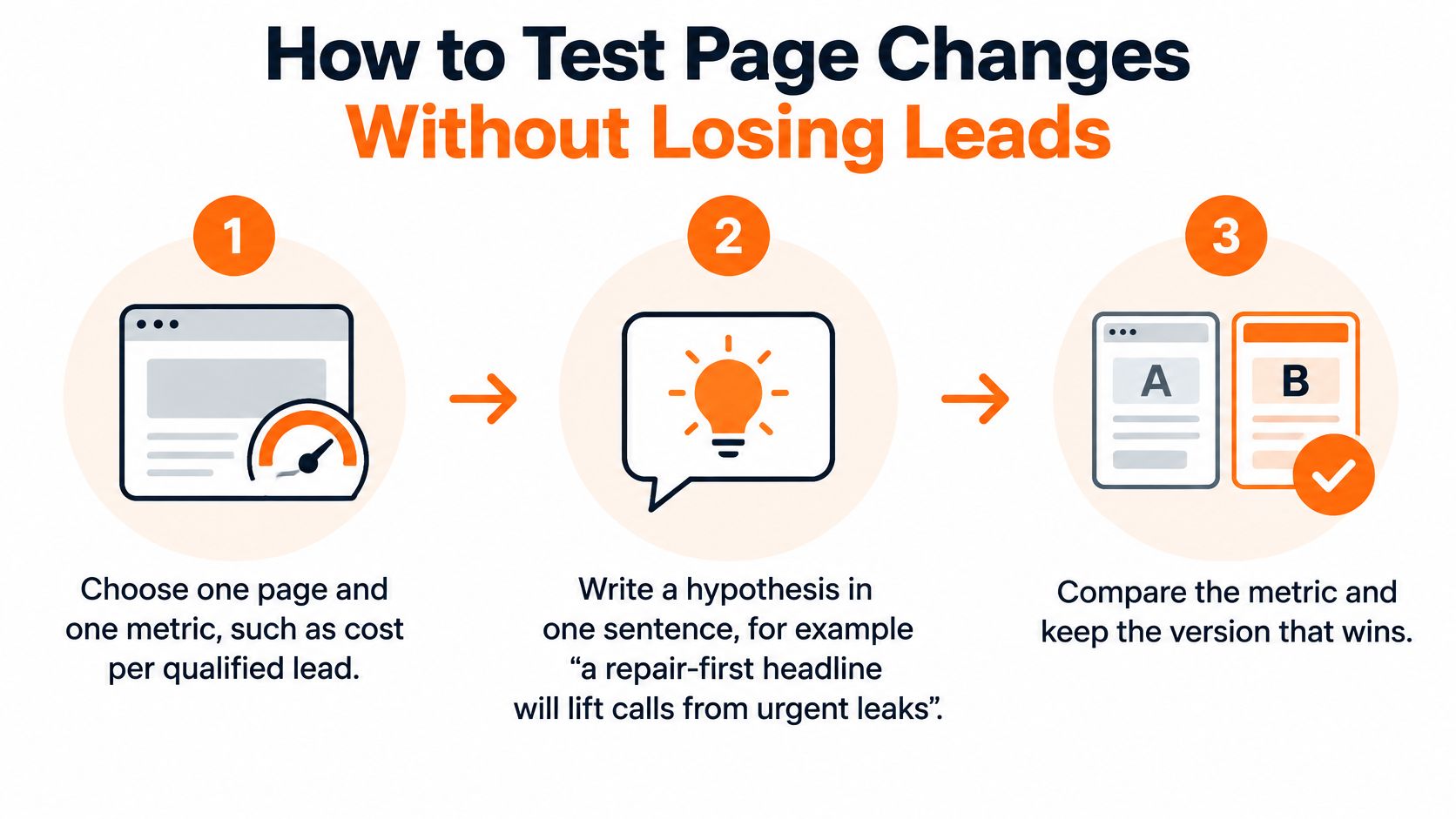
Run a controlled comparison
-
Choose one page and one primary metric. Start with a page receiving relevant paid traffic and a measure such as cost per qualified lead. Record inspection bookings as a supporting outcome so cheaper enquiries don’t disguise poorer fit.
-
Write a single-sentence hypothesis. For example, a repair-first headline will increase qualified calls from urgent leak searches because visitors will recognise the service immediately.
-
Change one element only. Test the headline, call button, form length or privacy note, not all of them together. The common slip is changing copy, photos and fields in the same week, leaving no reliable explanation for the result.
-
Split eligible traffic evenly between the existing page and the variant. Keep keyword targeting, location coverage and the offer consistent, and use persistent assignment so returning visitors don’t keep switching versions.
-
Plan a minimum run of two to four weeks. Treat that as an operating minimum, not proof of a winner, and extend it until each version has enough enquiries that one extra booking wouldn’t reverse your conclusion. If traffic is sparse, accept that a trustworthy result may take longer.
-
Compare qualified outcomes, including inspections booked and jobs won. Check whether differences came from page performance or operational changes such as missed calls, diary availability or delayed follow-up.
-
Keep the supported winner and log the result. Save the hypothesis, dates, traffic allocation and outcomes, including inconclusive tests. Verify tracking after publishing the retained version before starting another experiment.
Test transparency, not just fewer fields
Privacy reassurance is a useful candidate. The Privacy Commissioner’s 2025 annual survey found that more than 80% of respondents wanted greater control and choice over how their personal information is collected and used.
Compare a minimal form with a version that names the roofing business, states a genuine callback window and explains whether details are shared or resold. Make a no-resale promise only if it accurately describes your practices, and keep the privacy policy accessible.
The transparent version might attract fewer submissions but better appointments. That’s a hypothesis to test, not a result to assume.
Decide what counts as a worthwhile outcome before the test starts, not after a preferred design appears to win.
For a visual companion to the testing routine, use the video below.
Confirm Your Next Test This Week
You don’t need a full website rebuild to make a useful start. Finish a small, documented audit and choose a change you can evaluate rather than a collection of cosmetic improvements.
Establish the baseline
Pull the last 30 days of paid and organic visits, calls, form starts, submissions and booked inspections. Calculate the core metrics separately for each traffic source, and mark missing information rather than estimating it.
Mark the weaknesses
Audit the page elements, accessibility and mobile behaviour. Label each item present, weak or missing, then prioritise anything that prevents contact before debating wording or appearance.
Commit to a question
Choose one test and write the hypothesis before editing the page. Assign someone to review the outcome and keep a record of what changed, so the decision doesn’t become a matter of personal preference.
Verify the evidence
Confirm that call and form tracking record enquiry sources, and that your office records qualification and booking outcomes. Submit a test enquiry yourself and check that it reaches the right person.
Start with the clearest failure. If the headline doesn’t match the search, test that first; if the phone action is hidden, prioritise making click-to-call visible without scrolling. Don’t bundle both into an experiment if you want to know which change mattered.
Bluelight offers a free 30-minute ad account review covering what’s working, what’s leaking budget, and the two or three moves most likely to change the numbers fastest. Visit Bluelight to book a review of your ads and landing-page conversion path, or explore its ROI calculator, sample leads, roofing ads report, case studies, client reviews and website transformations.
Related service Google Ads for Roofers