Google Ads Conversion Tracking for Roofers
Your Google Ads report says enquiries are up, but the phone tells a different story. There’s a supplier chasing payment, a homeowner outside your service area, and a form asking what a sheet of roofing iron costs. Meanwhile, a genuine re-roof enquiry sits in someone’s inbox with no connection to the ad that generated it.
Google Ads conversion tracking should distinguish those enquiries, not lump them together. For a phone-led roofing business, that means keeping the ad click ID, qualifying calls and forms, and feeding booked inspections and won jobs back into the account. You need a reliable record of work worth quoting, not a bigger conversion total.
Table of Contents
- Which Roofing Actions Count as Conversions
- How to Wire Clicks Forms and Calls
- Server-Side Data and Consent for NZ
- Verify Tracking Before You Scale Spend
- Let Bidding Learn from Real Jobs
Which Roofing Actions Count as Conversions
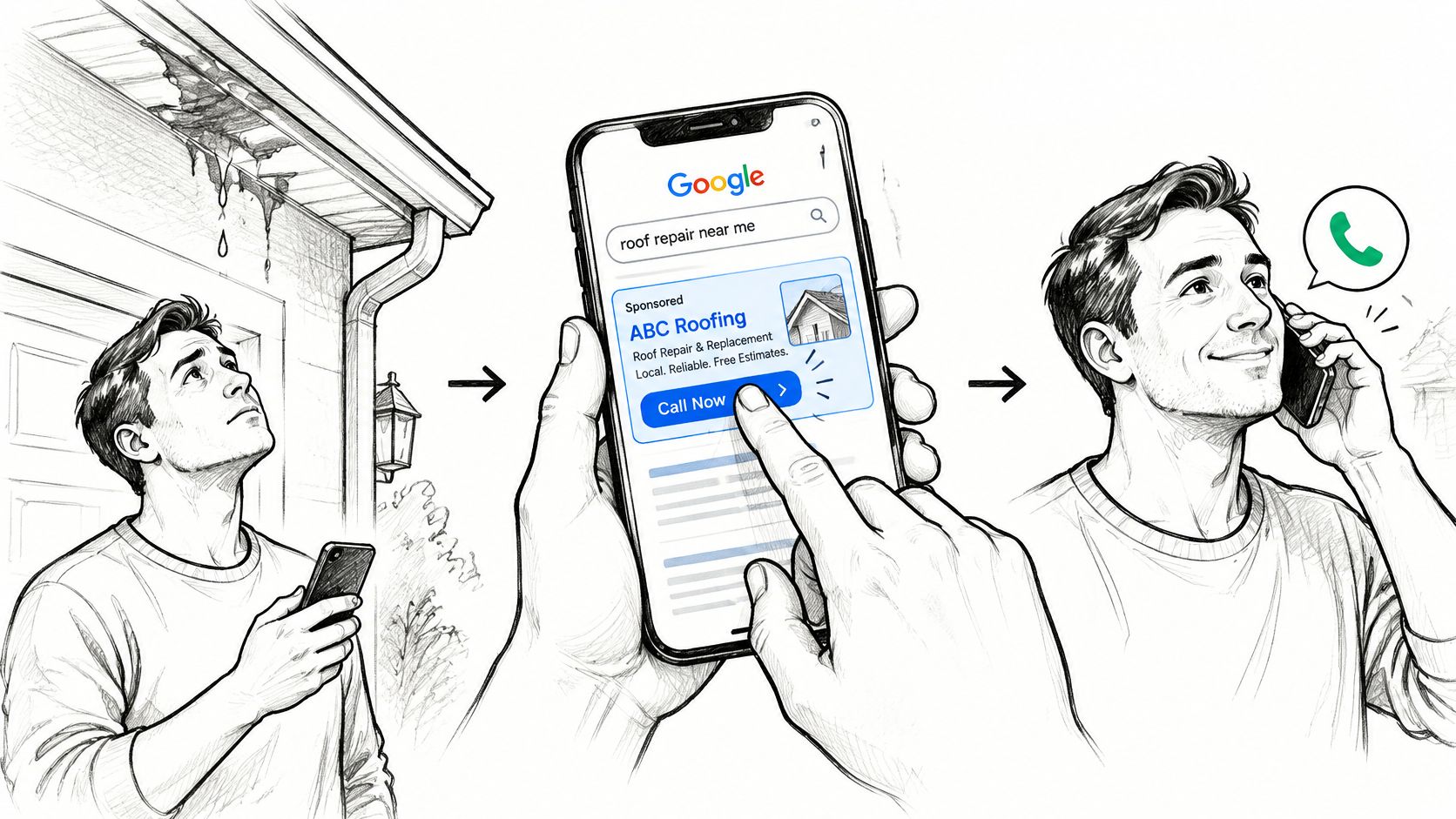
A homeowner spots a ceiling stain, searches for roof repair, taps your ad and calls from the driveway. They explain the leak, confirm the address and ask when someone can inspect it. That’s the kind of result your account should learn from.
Clicks and impressions can’t tell you whether that conversation happened. If you reward cheap traffic without checking enquiries, you can keep paying for tarp prices, DIY searches and people who were never going to hire a roofer.
The customer’s path is straightforward, even when the tracking behind it isn’t.
Choose outcomes before choosing tags
Build around a qualified phone call, a completed quote form, and a later booked inspection or won job. Primary conversions are the actions you want bidding to pursue. Secondary actions provide context without making every interaction a target.
Roofing conversion actions to count or ignore
| Action | Count as | Value signal | Do not do this |
|---|---|---|---|
| Qualified new-enquiry phone call | Primary after the duration filter and qualification | Value for the relevant roofing service | Count every phone-number tap |
| Supplier or existing-customer call | Exclude | None | Let it train bidding |
| Completed quote form | Primary, one event | Higher for re-roof and storm work | Also fire the thank-you page |
| Service-area or roof-type field on the form | Secondary detail | Used to filter, not a second conversion | Make it its own primary goal |
| Booked inspection imported from the CRM | Primary or high-value secondary | Flat inspection value | Wait months with no offline import |
| Quoted job | Secondary with value | Quote amount | Treat the quote as a closed sale |
| Won job | Primary revenue import | Invoice value | Upload the customer’s full file into Ads |
| Spam, test or duplicate form | Exclude | None | Leave it inside the conversion column |
I’d start with a 60-second minimum for a primary call conversion, then require a human-reviewed qualification status. That’s an operating filter, not proof of quality: a supplier can talk for ages, and a genuine homeowner might arrange an inspection quickly.
Exclude misdials, supplier calls and existing-customer repeats from new-business bidding signals. Keep those records where staff need them, but don’t present them as newly acquired roofing opportunities.
Phone measurement deserves its own setup. The Commerce Commission’s telecommunications monitoring report says businesses accounted for close to 30% of mobile call minutes in the year to June 2025. That isn’t a roofing conversion benchmark, but it reinforces why a form-only view is incomplete.
Give different work different signals
Say a replacement-roof enquiry progresses to a quoted job, while another person submits a one-line gutter question. Those enquiries shouldn’t carry identical value if replacement work is what your crews can profitably deliver.
Give re-roof and storm-damage forms higher provisional values when you can reliably distinguish them. Base those values on your own qualification and sales records, not on the biggest invoice you hope to win. A quote amount belongs to the quoted stage; actual revenue belongs to won work.
For the owner-level calculation, Prometheus Agency’s guide to calculating ROAS is a useful companion when connecting advertising cost with attributed revenue. Keep provisional lead values out of any report labelled actual return.
Practical rule: Bidding should see quote-ready work, not every tap on the phone number.
A completed form should fire on successful submission only. Don’t count the submit event and the thank-you-page visit as separate enquiries, and don’t make a roof-type selection another primary conversion.
Collect enough to qualify, not everything available
The FlexyConsent guide to New Zealand privacy compliance explains the Privacy Act 2020 framework and its 13 Information Privacy Principles, including lawful, connected collection purposes and openness about how personal information is used.
Your privacy statement should explain what you collect, why, who may receive it and the consequences of not providing it. Describe analytics, marketing tags and call tracking clearly rather than treating them as invisible website functions.
Before opening Google Ads, write down:
- Qualified call: A new roofing enquiry that passes your duration and lead-quality checks.
- Completed quote form: A valid submission for work you offer in an area you serve.
- Imported outcome: A booked inspection or won job with a clearly defined value.
If you can’t describe the action plainly on paper, you’re not ready to make it a bidding goal.
How to Wire Clicks Forms and Calls
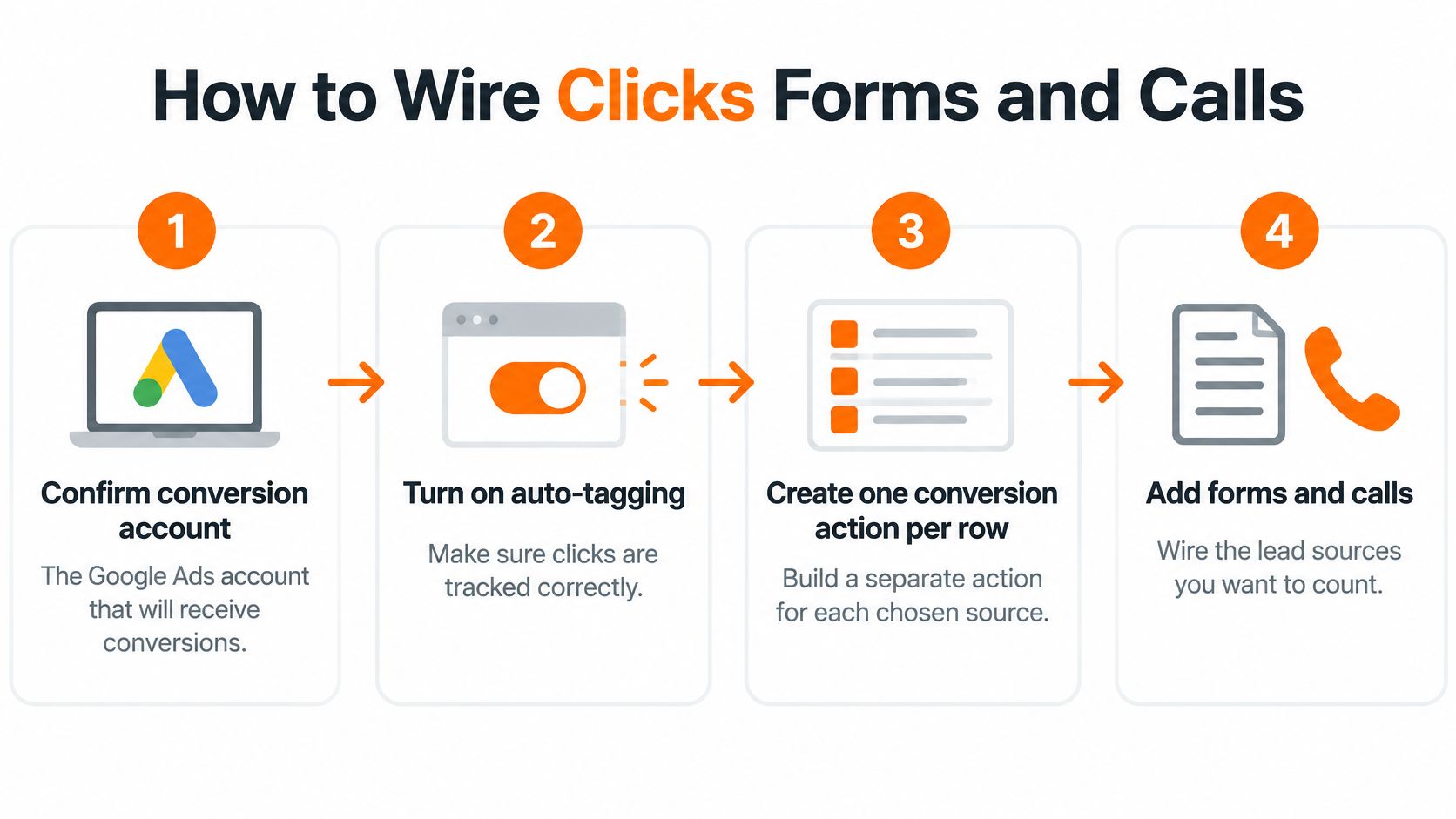
Build the tracking in the order the customer moves: ad interaction, landing page, enquiry, then job outcome. Keep the same lead reference through that journey so you can investigate a missing conversion without guessing.
The account setup starts with these decisions.
Build the tracking path in order
-
Confirm the receiving account and create the actions. In Google Ads, check which account owns the conversions, enable auto-tagging, and create separate actions for qualified calls, quote forms and booked inspections, using the appropriate categories and a count of one for lead actions. This prevents a repair enquiry from disappearing into an old agency account or an unrelated conversion goal.
-
Install the Google tag through Google Tag Manager. Put it on every roofing landing page, including the thank-you page, and initialise consent before measurement tags run, with marketing storage and data sharing denied until the relevant choice. For a conservative basic-consent setup, block marketing tags until permission is granted rather than assuming a banner automatically controls them.
-
Preserve the click identifier. Capture the
gclidparameter in permitted first-party storage and populate a hidden form field from it, respecting the visitor’s consent state. Test navigation from the repair page to the re-roof page so the identifier doesn’t vanish before the homeowner enquires. -
Trigger the form action only after success. Fire the Google Ads conversion after required fields, server acceptance and your service-area checks pass, retaining the stored click ID for the lead’s attribution and later import. Don’t attach the conversion to the submit button, because an invalid postcode or failed submission isn’t an enquiry.
-
Keep website calls separate from calls through ads. Use a tracked landing-page number and a separately configured call asset, applying your qualified-call duration filter in the supported call action or call-tracking integration. Check number availability and the provider’s forwarding setup for your market rather than assuming every account supports the same call features.
-
Write attribution into the CRM lead record. Store the click ID alongside a stable lead reference, enquiry source and staff-maintained status so a booked inspection can be imported later. Match website call sessions to the call provider’s record where supported; don’t invent a click ID for a call you can’t attribute.
-
Test before increasing spend. Use Tag Assistant for a test form and the website phone-link event, then inspect the actual test call in the call platform and receiving conversion system. Confirm the intended actions are recorded, and label the test records for exclusion from production reporting.
Google’s conversion workflow documentation explicitly calls for checking the effective conversion account, active tracking, consent and the appropriate conversion-action type before configuring imports. It also supports downstream lead outcomes and consent information, so the setup shouldn’t stop at the browser event.
Keep the form useful and the call traceable
A roofing form needs enough information to route the enquiry without becoming a surveying questionnaire. Ask for contact details, suburb, service needed and a short description; collect detailed access instructions and extensive job information during follow-up.
AgentStack’s lead capture form UX best practices provide useful guidance when deciding which questions belong on the first screen. A shorter form still needs validation and spam controls; otherwise, you’re making junk submissions easier.
For phone attribution, use the call-tracking software guide to work through the relationship between the displayed number, the call record and the advertising source. A phone-link click shows intent to call; the call log shows whether a conversation occurred.
This walkthrough provides an additional visual reference for the setup.
Keep ownership tidy while you build. At Bluelight, clients retain ownership of their Google Ads account and data, and we access the account only with explicit permission for campaign management.
Server-Side Data and Consent for NZ
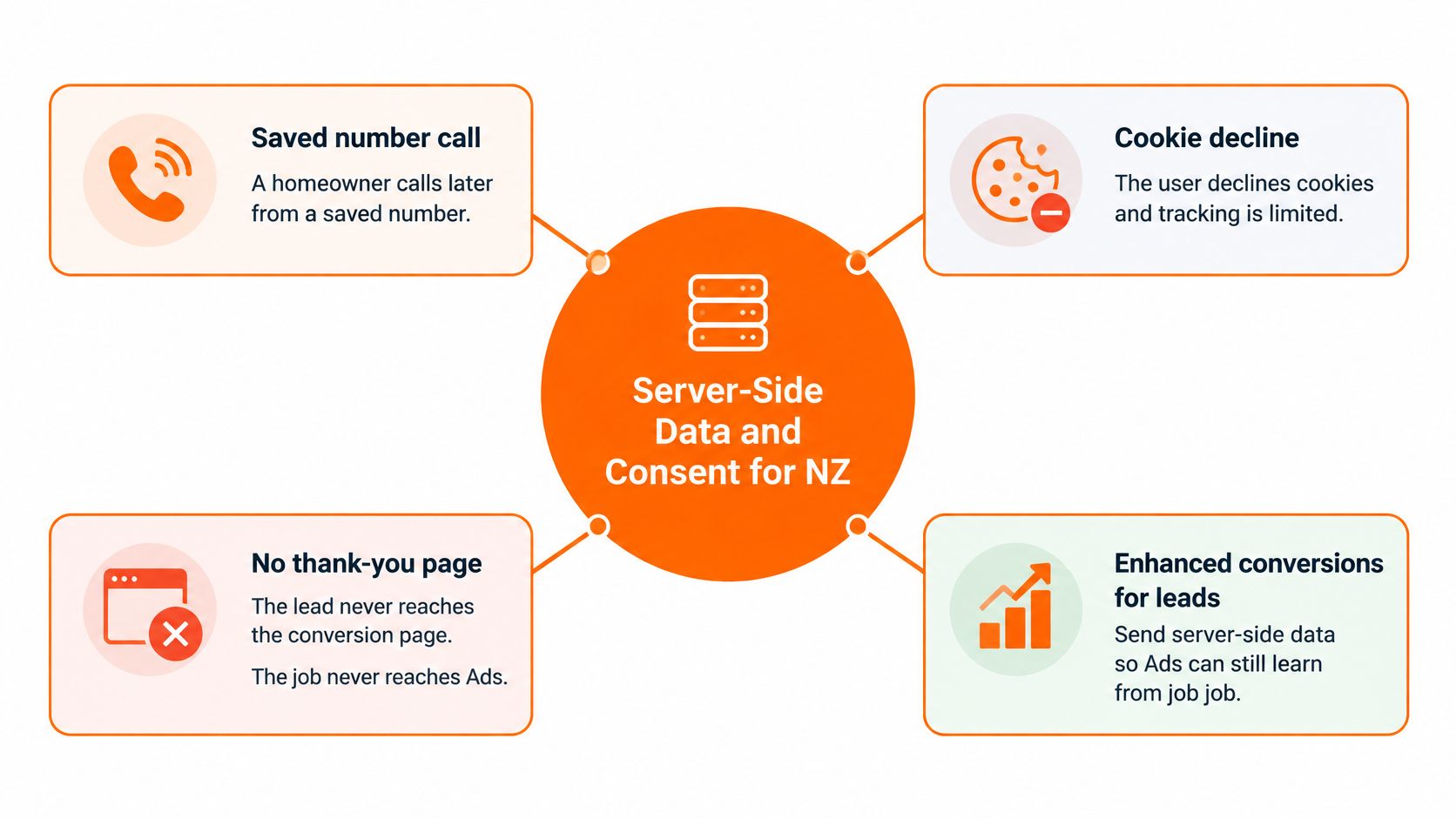
A homeowner saves your number and calls later. You inspect the roof, send a quote and win the replacement, but nobody connects the call to the original website session. The job never reaches Ads.
A declined cookie choice creates a different measurement gap. Neither situation is fixed by making the thank-you-page tag fire more often, and a server-side connection can’t manufacture attribution or override someone’s consent.
These are the gaps the data pipeline needs to address.
Use matching without uploading the customer file
Enhanced conversions for leads can help connect a later CRM outcome with the advertising interaction. Retain the available click identifier and, where permitted, use a hashed email address or phone number when importing a qualified, quoted or won status.
Hashing turns a normalised contact detail into a coded matching value. It isn’t permission, guaranteed anonymity or a reason to upload more fields; Google can compare matching values without receiving the plain-text contact detail in that hashed field.
Google’s consent-mode guidance describes relevant consent states, cookieless measurement and modelling subject to eligibility and volume thresholds. There’s no fixed NZ uplift you should put into a roofing budget.
Use this consent order:
- Default to denied. Establish the initial state before measurement tags execute.
- Pass the banner choice. Set
ad_storagefor advertising storage andad_user_datafor sharing user data used in advertising measurement. - Apply the selected mode correctly. Advanced consent mode can send cookieless pings when consent is denied; basic mode blocks tags until consent. Don’t describe cookieless pings as a guarantee that no contextual information is transmitted.
- Test both choices. Check acceptance and refusal, page changes, form submission, phone-link behaviour and the eventual CRM upload.
For additional context on banner behaviour and measurement, ELECTE’s Google Consent Mode spiegato da ELECTE is a useful technical companion. Keep the legal assessment specific to your NZ operation rather than importing another jurisdiction’s rules wholesale.
Restrict what leaves the CRM
Schedule imports when staff update the lead status. Send the matching fields, conversion action, timestamp, value and reference needed by the integration, not roof photos, recordings, access codes or the full quote history.
Set retention rules by purpose. Record how long you need attribution records, who can access recordings, and how deletion requests reach both the CRM and call provider.
More observable data isn’t automatically better measurement. A smaller, auditable record is more useful than an uncontrolled copy of every customer detail.
The Office of the Privacy Commissioner says breaches that have caused, or may cause, serious harm must be notified and recommends notification within 72 hours of becoming aware. Restrict form and recording access, remove departed users promptly, and know who handles a suspected exposure.
Verify Tracking Before You Scale Spend
Run a same-day form-and-call test before trusting the green Recording status. Submit a realistic quote request with a clearly labelled test name, then make a call that lasts beyond your qualification threshold.
Follow each test through its appropriate systems. The form should produce a form conversion and CRM record; the call should appear in the call log, its call conversion action and the CRM. Where the phone call follows up the test form, merge it into the existing enquiry rather than creating another opportunity.
Use a pass-fail sheet
Tracking checks before you raise the budget
| Check | Pass | Fail |
|---|---|---|
| Quote form | One primary conversion and one CRM lead | Thank-you page fires a second conversion |
| Click ID | gclid stored on the lead after page changes | Field blank on multi-step or mobile forms |
| Qualified call | Duration recorded, threshold passed and new-enquiry status confirmed | Every tap counted, including hang-ups |
| Duplicates | Spam and tests excluded the same day | Test leads left inside the primary column |
| Offline job | Booked or won status imported with a value | Form submit is the only number bidding sees |
| Cross-platform totals | Ads, Analytics, calls and CRM investigated when they differ | The four totals added into one vanity lead count |
The target is a clean record of each enquiry, not identical totals everywhere. Analytics events, attributed Ads conversions and CRM opportunities measure different things, and reporting delays can create temporary differences.
Don’t add those columns together. A homeowner who submits a form and then calls hasn’t automatically become another acquired lead.
If a conversion never appears, work through the failure in order:
- Account and action: Confirm the conversion is enabled in the intended Google Ads account.
- Page execution: Run Tag Assistant and inspect the successful-submit trigger, consent state and conversion label.
- Displayed number: Confirm the landing page shows the tracked number assigned to that source.
- Call duration: Check this field first when a call is missing from qualified-call reporting.
- Reporting delay: Allow up to a day as a practical troubleshooting window before judging the test, while checking logs immediately.
Don’t keep resubmitting the same form because the Ads report hasn’t refreshed. That can create the duplicate problem you’re trying to diagnose.
Read the commercial report, not just the conversion column
Each month, separate cost per enquiry, cost per qualified opportunity and revenue from won jobs. Use the CRM to deduplicate enquiries and identify work your estimator could quote.
Construction activity provides context, not proof of advertising success. Stats NZ reported 34,882 new dwellings consented in the year ended September 2025, up 3.6% on the previous year, but consents aren’t completed projects. Compare your enquiry mix with local workload and capacity rather than treating market activity as booked roofing revenue.
Fix the failed tracking row before changing bids or adding another campaign type.
Finish the week with a 15-minute Friday check of five recent leads. Confirm the available click ID is retained, a person has filled in the status, duplicates are merged, and invoice value appears only against won work.
Where an identifier is legitimately unavailable, label that limitation. A blank field needs an explanation, not a fabricated attribution.
Let Bidding Learn from Real Jobs
A campaign can produce a cheaper reported conversion while making your estimator busier with work you don’t want. The useful decision is whether advertising brings in roofing opportunities your crews can price, schedule and deliver at an acceptable return.
Keep the account focused on that decision. More campaign types won’t repair a broken link between an enquiry and its outcome, and more budget will only increase the cost of learning from the wrong signals.
Make value reflect bookable work
Review the service mix against your current capacity. If your replacement crew is booked but repair capacity is available, don’t keep assigning values as though every replacement enquiry is equally useful right now.
Use these decisions in the monthly review:
- Enquiry efficiency: Identify which campaigns generate genuine new enquiries rather than the lowest raw form cost.
- Qualification quality: Check service area, roof type, job suitability and whether staff reached the homeowner.
- Won revenue: Compare attributed completed sales with advertising cost, keeping open quotes separate.
- Capacity fit: Favour work the business can inspect and deliver.
A clear marketing attribution approach helps connect those decisions to the campaigns involved without pretending every customer journey is fully observable. Keep unmatched jobs visible in the CRM rather than forcing them into a paid-search result.
Keep the next decision small
For the next two weeks, keep your primary action set limited to the qualified call, the quote form and, once the import works, a booked or won outcome. Choose the downstream stage deliberately, and don’t add full invoice value to every earlier stage as though each represented separate revenue.
Don’t add Performance Max or other campaign types until those records reconcile with the call log and CRM. Keep the account and its data in the roofing company’s name so the measurement history stays with the business.
If the records still disagree after the Friday check, get an outside review rather than spending another month training bids on junk. This week, mark the primary actions and hold the budget steady until the test form and test call each land once.
Bluelight builds and manages roofing Google Ads systems with call tracking, form tracking and lead attribution. Visit Bluelight to book a free 30-minute ad account review covering what’s working, where budget is leaking and which tracking fixes should come first.
Related service Google Ads for Roofers