Landing Page Optimisation PDF for Roofing Companies
You’re paying for clicks, the phone is quiet, and the page behind the ad still reads like a company brochure. A homeowner with water on the ceiling doesn’t want a tour. They want to know you cover their suburb, and they want a number they can tap.
If you searched for a landing page optimization PDF, what you need is a scorecard you can mark and an audit you can finish this afternoon. Mobile speed and accessibility aren’t polish. They’re the reason a ready-to-call visitor leaves before anyone answers.
I would fix the page before you raise the ad budget. A slow or unclear page wastes the next dollar the same way it wasted the last one.
Table of Contents
- The Landing Page Standards to Check Today
- Why Visitors Decide Within Seconds
- How to Audit Your Page in One Afternoon
- Make Mobile Speed and Accessibility Your First Fix
- Qualify Enquiries Without Losing Good Jobs
- Page Setups for Repairs, Reroofs and Commercial Work
- Book a Free Review Before You Spend More on Ads
The Landing Page Standards to Check Today
If you already pay for clicks and you want calls in return, start with a pass-or-fail scorecard, not a redesign brief. Seven standards decide whether a roofing landing page turns a visitor into an enquiry. Mark each one pass or fail. A failed phone button or a slow load usually costs the most enquiries, because the visitor never reaches the rest of the page.
| Standard | Pass mark | Common failure | Quick fix |
|---|---|---|---|
| Headline | Names the service and suburb in the first line | Generic “Quality Roofing Services” heading | Rewrite around the job and the town |
| Phone button | Visible on a phone without scrolling | Number hidden below the fold | Pin a tap-to-call button to the top and bottom |
| Load speed | Usable within about three seconds on a mid-range phone | Large unsized photos and stacked scripts | Compress images and defer nonessential scripts |
| Form length | Four to six fields with one qualifying question | Eleven fields and a long message box | Keep name, phone, suburb and job type |
| Trust proof | Two or three named local reviews beside the call button | Stock badges and logos only | Use reviews with the customer’s first name and town |
| Accessibility | Labelled fields, readable contrast and keyboard use | Placeholder text used as the only label | Add visible labels and clear focus states |
| Tracking | Calls and form submissions recorded as separate events | Only form fills counted | Set up call tracking and review it monthly |
How to read the first rows
Headline. A passing first line names the service and the suburb. “Quality Roofing Services” could be any firm in any town. “Emergency roof repairs in Albany” tells the visitor the job and the place in one glance. Rewrite around the job and the town before you touch colours, logos or photo galleries.
Phone button. On a phone, the number must show without scrolling. Pin a tap-to-call button, a button that dials when tapped, to the top and the bottom. A number sitting under a full-screen photo is a fail, even when the rest of the page looks tidy.
Load speed. The page should be usable within about three seconds on a mid-range phone over mobile data. Oversized roof photos with no set dimensions, plus a pile of scripts, are the usual cause. Compress the images and hold back anything that isn’t needed for the call.
The form should stay at four to six fields, with one question that sorts the job. Name, phone, suburb and job type are enough to call back. Trust proof means two or three reviews that name a person and a town, placed beside the call button, not a strip of generic badges. Accessibility means a visible label on every field, text you can read in daylight, and a focus outline you can see when you move with the keyboard. Tracking means calls and form fills are counted as separate events, then reviewed each month. If you only count forms, you can’t tell whether the phone button is earning its place.
Practical rule: If the phone button fails or the page is slow, stop adding testimonials and service lists until those two pass.
Print the table, mark your current page against each row, and keep the marked list for the audit.
Why Visitors Decide Within Seconds
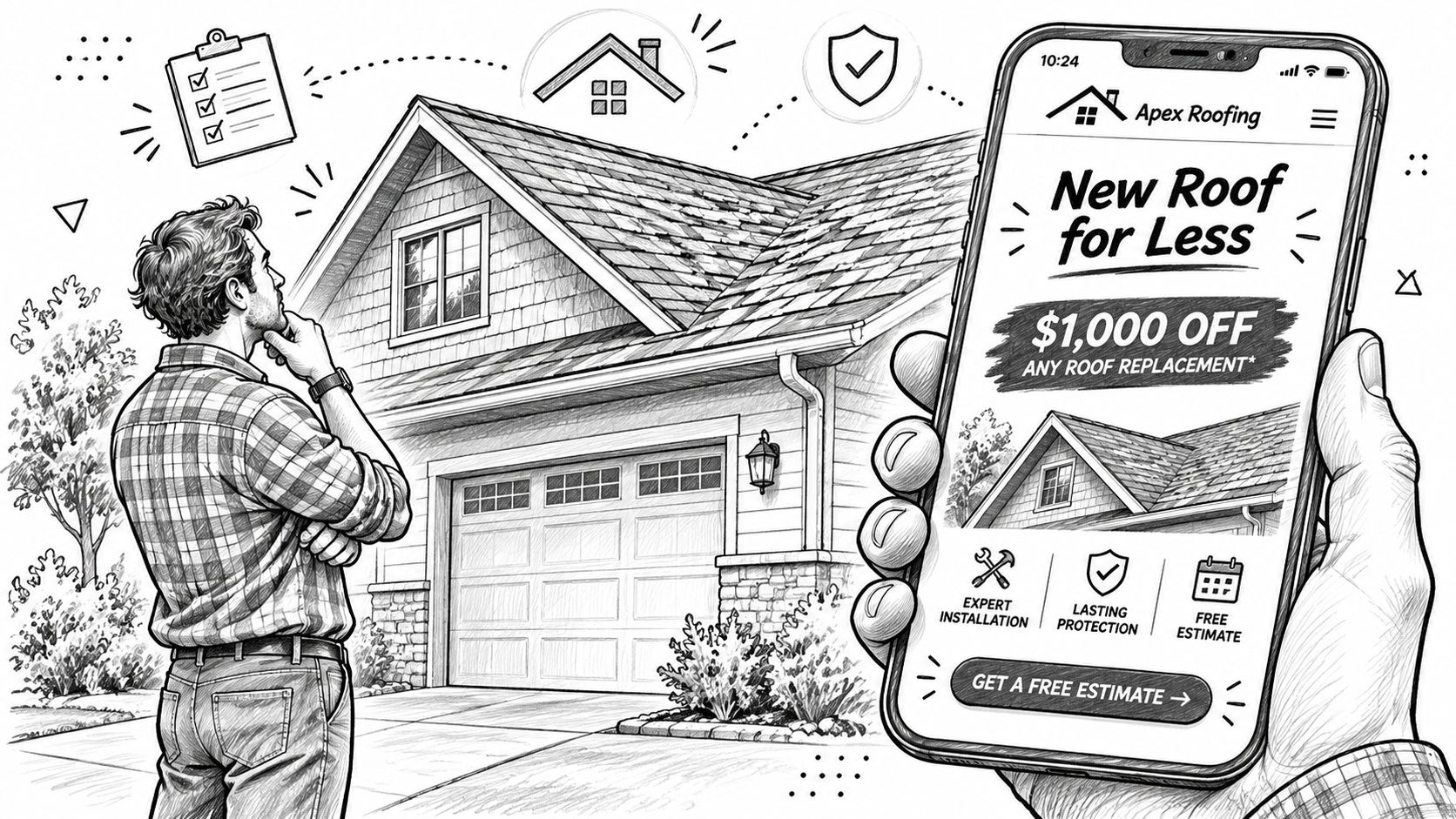
A homeowner with a leaking roof clicks an ad for emergency repairs in Albany. If the page opens with a general list of roofing services, the visitor has to work out whether they are in the right place. Many will leave before calling.
Message match means the page carries the ad’s promise through to the first screen. If the ad offers emergency repairs in Albany, name emergency repairs and Albany on the page. Give each page one job, one service area and one clear next action. Repairs, reroofs, gutters and commercial work need separate pages, rather than a homepage trying to speak to every potential customer.
The visitor’s first judgement is practical: “Is this the right service, and can I contact this roofer?” A clear headline and relevant image can confirm the service. A vague headline or a photo that has nothing to do with the job makes the visitor pause, and every extra question gives them a reason to leave.
The five-second test
- Cover everything except the first screen.
- Ask someone unfamiliar with the business to identify the service, the town and the next step.
- If they cannot answer, revise the headline and first-screen content before increasing ad spend.
Use the result to judge whether the page communicates its purpose quickly. A page can contain all the right details lower down and still lose the visitor if the opening does not make the offer clear.
How to Audit Your Page in One Afternoon
You can finish this with a phone, a laptop and the ad that sends the traffic. Score what you see. Don’t wait for a full website rebuild.
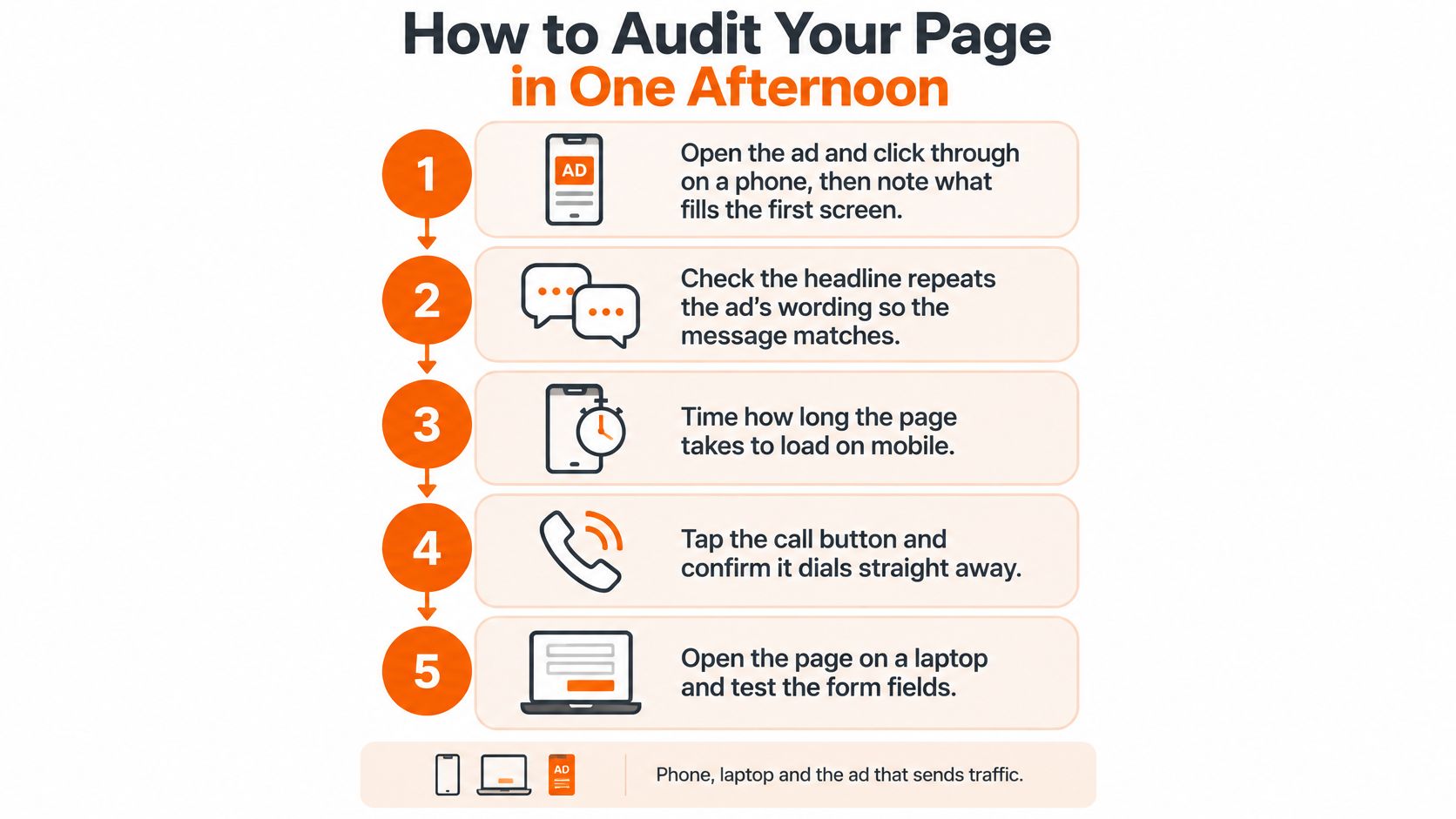
- Open the live ad and click through on a phone. Note the first line you see. It should repeat the ad’s service and suburb, because a mismatch is why people bounce before they read anything else.
- Time the load on mobile data, not office Wi-Fi. A page that feels fine on a fast connection can stall on the connection your customer has, and impatient visitors don’t wait.
- Tap the phone number and confirm a call starts. Then scroll. The button should stay visible. A number that only appears at the top disappears the moment someone reads a review.
- Fill the form with test details. Count the fields and note every error message. A vague “something went wrong” with no pointer to the field is where genuine jobs abandon the form.
- Use only the Tab key to reach every field and the submit button. Mark any spot where the focus outline disappears. If you can’t see where you are, a keyboard user can’t either.
- Send one test call and one test form. Check that both show up as separate events. If the call never appears, you’re blind to the action that matters most on an urgent job. A short guide to conversion rate optimisation is useful once those events are recorded.
- Score each standard as pass, fix or fail. List the fails in the order of how many enquiries they probably cost, phone button and speed first.
The common slip is testing only on a desktop in the office. That hides the mobile problems most roofing visitors meet, from a button that needs a scroll to photos that shove the headline down the screen.
If you want a walk-through of the same checks on a live page, this short video shows the sequence from ad click to tracked call.
Write the result on one page: the ad, the URL, each standard as pass, fix or fail, and the fails in cost order. Hand that sheet to your web developer or the person running the ads. They shouldn’t have to guess what you saw on the phone.
Make Mobile Speed and Accessibility Your First Fix
Urgent roofing calls start on a phone. Someone with water coming through the ceiling searches, sees your ad, and wants to ring. They don’t want an eleven-field form.
A government digital-experience assessment found New Zealand government sites scored 80/100 for desktop speed but only 43.2/100 on mobile, while 56% of users primarily accessed those services on mobile devices, as noted in the New Zealand digital economy guide. A roofing page can repeat that gap without anyone noticing, because the team checks it on a fast office computer.

Fixes you can see yourself
- Keep the phone button on screen without scrolling, including after the visitor moves down to read a review.
- Compress photos of finished roofs and gutters, and set the image size so the text doesn’t jump as the page loads.
- Delay chat widgets and other extras that aren’t part of the call.
- Don’t let video play by itself. It eats data and shoves the number down the screen.
Accessibility is a conversion issue, not a side project. A pale grey call button can vanish in bright outdoor light. A name field that only shows placeholder text gives a screen-reader user no label once they start typing. A field with no focus outline makes keyboard use a guess.
Check three things with your own eyes. A grey-on-white button. A field whose only label is grey text inside the box. A field where the outline vanishes when you select it. If any of those fail, fix them before you add another section.
Count mobile and desktop results separately, and treat click-to-call as a main result, not a side note. Compare speed with the share of enquiries you can quote, not with form completions alone.
Take off any block that doesn’t help the call, including extra badges and long service lists, before you add anything new.
Qualify Enquiries Without Losing Good Jobs
A higher form completion rate isn’t always good news. It can mean more price shoppers, more jobs outside your area, and more work you don’t do. Shorter isn’t automatically better if the short form can’t tell a leak from a full replacement.
In the national housing condition survey cited in Housing in Aotearoa 2020, only 47% of dwellings had roofs assessed as excellent or good with no repairs or maintenance required. At the other end, 11% had roofs rated serious or poor, which means significant or immediate repair needs. One generic quote form can’t serve planned maintenance, an active leak and a full replacement equally well. The same report notes that steel was the most common roofing material in surveyed dwellings, with concrete tile also prominent, so the form should say long-run steel, metal roofing and concrete tile, not only “roofing services.”
Fields that earn their place
Keep a field only if it changes what you do next.
- Suburb: drops jobs you can’t reach before anyone drives out.
- Material: long-run steel, metal or concrete tile, so the right crew and the right photos are ready.
- Repair or replacement: splits a same-day leak from a planned reroof.
- Active leak: tells you whether this is urgent.
- Roof age: a rough band is enough to judge scope.
- Owner or renter: you need to know who can approve the work.
Drop anything that doesn’t change the next call. A long message box rarely does.
Measure qualified-lead rate, booked inspections and quotes won, not only cost per lead. A cheaper lead that never becomes a site visit is more expensive than it looks. For a wider view of how roofing enquiries should be filtered, see roofing lead generation.
Run one test. For two weeks, compare the current form with a version that asks suburb, material and repair or replacement. Count quotes booked, not submissions. If bookings rise while raw submissions fall, the tighter form is the better page.
Page Setups for Repairs, Reroofs and Commercial Work
A homeowner with an active leak needs a fast way to call. A commercial property manager may need to arrange a site walk. Separate pages make each next step clear, with fields and proof that fit the work.
| Page type | Primary action | Form fields to keep | Proof to show |
|---|---|---|---|
| Emergency repair | Tap to call above the fold | Phone and suburb | Local reviews for storm and leak repairs |
| Reroofing and replacement | Request a roof assessment | Name, phone, suburb, roof material, roof age | Photos of finished local roofs in the same material |
| Gutters and maintenance | Book a maintenance visit | Name, phone, suburb, service type | Reviews for gutter cleaning and repair |
| Commercial roofing | Request a site walk | Name, company, property type, approximate floor area | Client examples and safety credentials |
Statistics New Zealand reported 6.4 new dwellings consented per 1,000 residents in the year ended June 2024, down from 8.6 in the year ended June 2023, in its building consents release. Those figures describe new dwelling consents, not reroof demand. A page focused only on new builds leaves repair, replacement, gutter and commercial enquiries without a clear route.
When repairs, reroofs and new builds share one page, a callback may be needed just to establish what the customer wants. A repair page can ask about the leak; a replacement page can ask about roof material and age. The right details up front mean fewer calls spent sorting enquiries.
Commercial pages address a different buyer. Ask for the company name, property type and approximate floor area, then offer a site walk rather than a homeowner-style quote request. A dedicated example is Arizona commercial roof repair, where the page focuses on one service and its relevant next step.
Treat the table as a starting point. Match each page to the services you offer and the areas you cover. Keep the headline and action specific to the job, so visitors can tell they are in the right place and you can distinguish repair, replacement and commercial enquiries in reporting.
Book a Free Review Before You Spend More on Ads
Decide this week whether the page is fit to receive more ad spend. Three jobs, in this order.
- Score the page against the standards table.
- Run the afternoon audit on a phone, using the ad that sends the traffic.
- Fix the fails in the order of the enquiries they probably cost.
You can do all of that alone. The sheet you mark is enough to brief a developer.
If you’d rather have a second set of eyes on the account, we offer a free 30-minute ad account review. It covers what’s working, where budget is leaking, and the two or three moves most likely to change the numbers fastest. The review is optional. It doesn’t replace the audit, and you don’t need it to fix a buried phone button.
I would start with the phone button and the headline. Those two usually show in the call log before any other change does. Once both pass the five-second test on a mid-range phone, extra proof and extra pages are worth the time.
Bluelight builds landing pages and Google Ads for roofing companies so more of the clicks you already pay for turn into calls you can quote. You can use the ROI calculator, the roofing ads report and the case studies to check the numbers before you change anything. Visit Bluelight when you want that page and the account reviewed together.
Related service Google Ads for Roofers