Retargeting Ads on Google for Roofing Companies
You’re paying for roofing clicks, people are reading your replacement and repair pages, and then most of them disappear without calling. That’s normal for a high-value job, but it’s expensive if your only follow-up is hoping they remember your name. Retargeting ads on Google can keep you in front of the right previous visitors. Used badly, they’ll also waste money on everyone else.
Table of Contents
- Why Selective Retargeting Matters for Roofers
- Prepare Tracking Before Building Remarketing Audiences
- Build Intent-Based Google Remarketing Audiences
- Match Roofing Audiences to the Right Message
- Launch Creative and Bidding Without Waste
- Verify Eligibility and Fix Retargeting Problems
- Build a Repeatable Roofing Remarketing Routine
Why Selective Retargeting Matters for Roofers
An Auckland homeowner checks your reroofing page on Monday night. She looks at materials, glances at a photo gallery, then leaves to compare two other roofers. On Wednesday she’s on her phone reading the weather, and on Friday she finally asks for a quote from the company she remembers and trusts most.
That gap is where selective retargeting earns its place. Search captures active demand when someone types a roofing query. Retargeting supports the decision afterwards by reconnecting you with eligible people who already visited your site or interacted with your ads. It doesn’t replace Search, and it shouldn’t try to create demand from cold traffic.
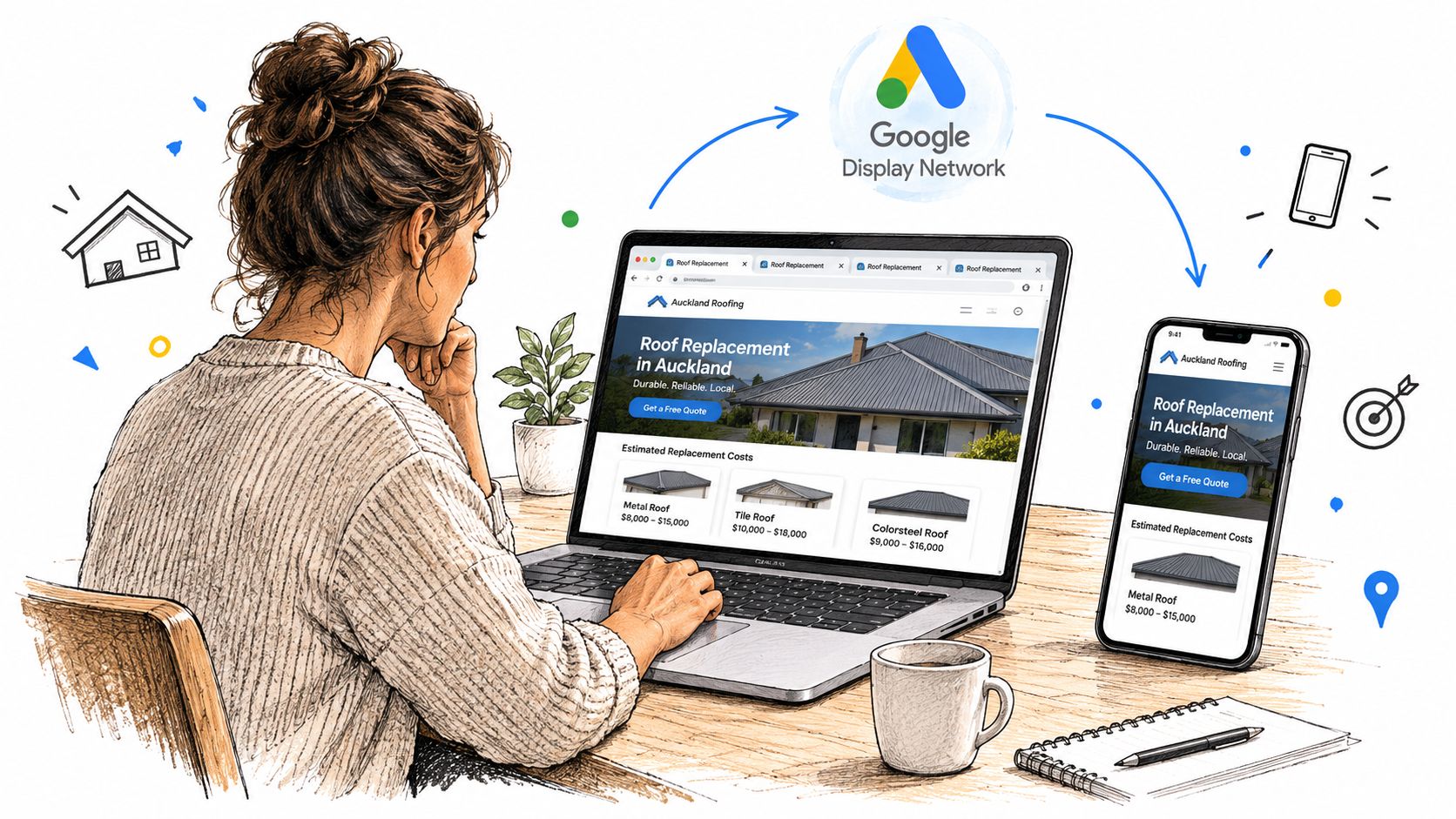
Google’s footprint makes that follow-up practical. In an analysis of New Zealand website advertising technologies, Google Ads accounted for 45.7% of platform detections among identified advertising platforms across 14,318 sampled sites. That figure measures detected presence, not share of national ad spend, but it shows why Google-based remarketing is a sensible default for reach.
Not Every Visitor Deserves Budget
A person who started your quote form is not the same as someone who skimmed a general guide. A homeowner with an active leak wants speed. A property manager researching commercial reroofing may need capability, safety processes and references over a longer period.
Treat retargeting as a conversion assistance layer, not a net thrown over every visitor. Put budget behind clear intent, match the message to the job someone was researching, and judge the result by qualified calls, completed quote forms and booked inspections. Impressions tell you ads were shown. They don’t tell you whether you won useful work.
If you can’t explain why a visitor deserves another ad, don’t pay to show them one.
That discipline shapes every decision that follows, from tracking and audience windows to creative, bidding and exclusions.
Prepare Tracking Before Building Remarketing Audiences
Don’t build audiences until you can trust the events behind them. If your quote form, phone clicks and inspection bookings aren’t recorded cleanly, you’ll optimise towards noise and call it performance.
Start with access. Confirm who owns the Google Ads account, Google Tag Manager container, website and call tracking. Then install the Google tag through Google Tag Manager so you can manage remarketing and conversion tags without editing site code for every change. Interface labels change, so follow the current names in your account and verify what fires, rather than relying on an old screenshot.
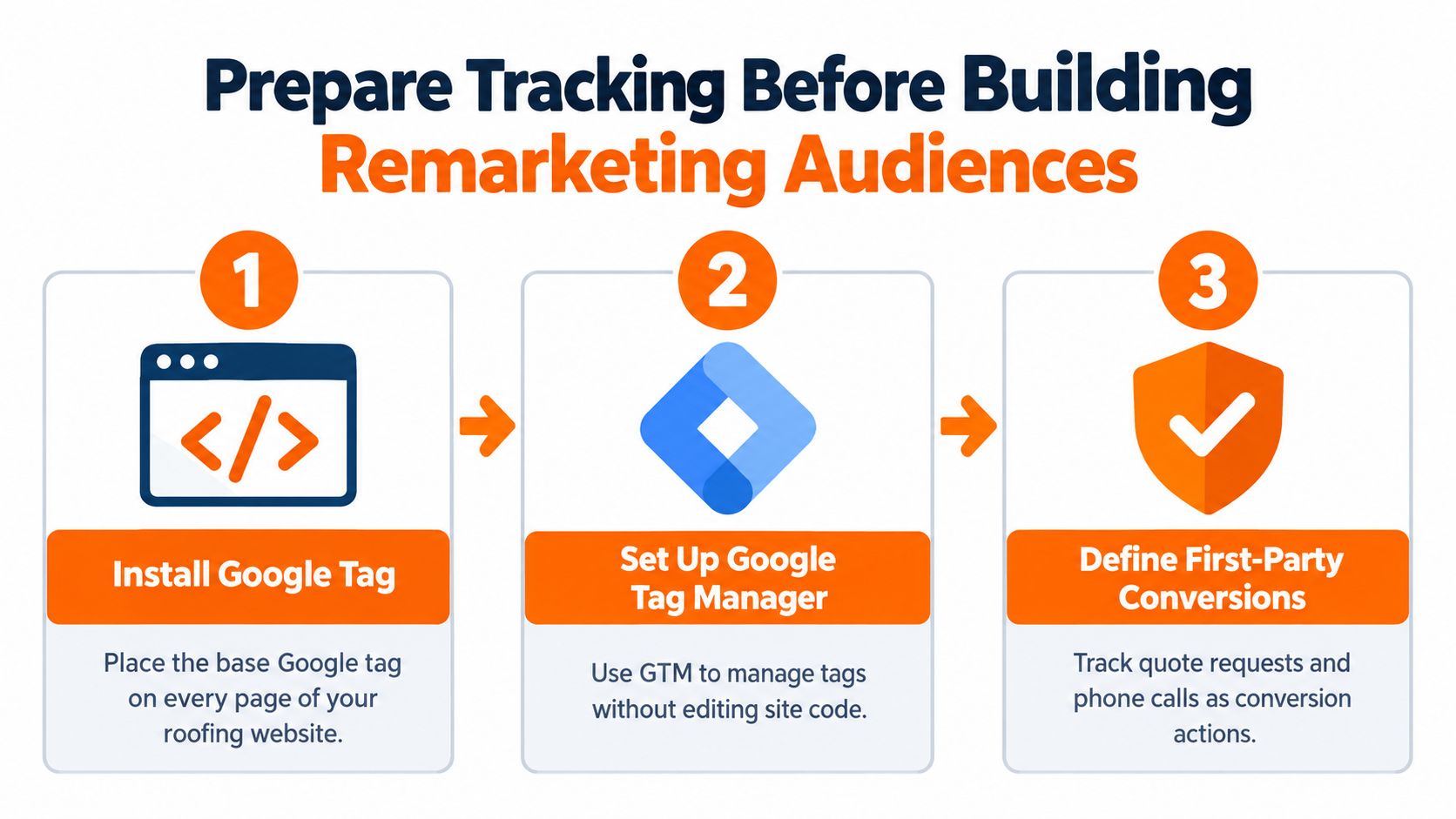
Define Conversions That Mean Money
Create separate conversion actions for outcomes your sales team values:
- Qualified phone calls: Calls from people in your service area asking about relevant work, not every tap on a phone number.
- Completed quote forms: A submitted form with usable contact details, recorded once.
- Booked inspections: A confirmed appointment, which is usually a stronger signal than a form start.
- Confirmation pages: Useful only when the page appears after a genuine submission and can’t be refreshed into duplicate conversions.
If you need the foundations explained plainly, start with what conversion tracking does in a Google Ads account before you touch audience settings. For the wider data discipline behind those events, how to govern first party data is a useful companion resource.
A common failure looks harmless. Your tag is installed, but a web developer changes the thank-you page URL. The form still works, enquiries still arrive, yet Google stops seeing conversions. Or the confirmation event fires twice and a weak campaign suddenly looks profitable. Test every path yourself on desktop and mobile, then reconcile test leads against your inbox, call records and CRM.
Sort Consent and Disclosure Early
New Zealand’s Privacy Act 2020 requires collection to be lawful, necessary and transparent, as summarised in Chambers’ New Zealand data protection guidance. Your privacy or cookie notice should explain what’s collected, why it’s collected and who receives it. Do not repurpose analytics data for targeted advertising without an appropriate lawful basis.
Before launch, confirm the tag fires once, conversions match real enquiries, converted users can be excluded, and your notice matches what the site does. That’s tracking readiness. Audience creation comes next.
Build Intent-Based Google Remarketing Audiences
Build audiences from what a visitor did, not just from the fact they turned up. Page type, action and recency together tell you whether someone is browsing, comparing quotes or ready to talk.
Start with a small set of first-party audiences you can explain in one sentence each:
- Service-page visitors: People who viewed reroofing, repairs, gutters or commercial roofing pages.
- Pricing or quote-page visitors: Stronger intent, because they’ve moved from learning to cost and next steps.
- Quote-form starters: People who began but didn’t submit. They may need reassurance, not a generic brand reminder.
- Telephone-link clickers: Useful intent signal, but check call quality before treating clicks as leads.
- Confirmation-page visitors: Converted users. This list is mainly for exclusion.
- All visitors: Keep it for reporting and limited use, not as your main targeting pool.
Use Recency Windows That Match the Job
Urgent work goes stale fast. Someone with water coming through a ceiling will usually choose quickly or fix the immediate problem another way. Use a 7-day window for emergency repair traffic, with tight frequency controls.
Replacement research takes longer. Homeowners compare materials, warranties, timing and quotes, so a 30-day window suits active reroofing consideration. Commercial decisions often involve property managers, budgets and approvals, so a 90-day window can make sense if the message stays relevant and exposure stays controlled.
Those windows are a planning framework, not magic numbers. Shorten them if enquiries arrive quickly. Lengthen them only when your sales cycle proves people still convert later.
Exclude People Who Should Not See Ads
Suppress converted leads, booked inspections, existing customers, employees and job applicants. Exclude irrelevant service areas as well. A Christchurch visitor has no value to an Auckland-only roofer, however cheap the click looks.
Practical rule: Every audience needs one purpose, one message and one reason to exist. If two lists would receive identical ads, merge them for targeting and keep the detail for reporting.
Consider two visitors. One read a general guide about roof lifespan. The other viewed emergency repairs, checked your service area and started a quote form. The first person might justify no spend, or a very light proof-led reminder. The second deserves prompt, specific follow-up about getting the leak inspected.
Keep an audience map in a simple document listing the signal, window, exclusion rules and intended next action. When reporting looks odd, that map helps you see whether lists overlap or whether a converted audience is still being targeted by mistake.
Match Roofing Audiences to the Right Message
The same banner for every visitor is lazy and usually wasteful. Your message should answer the question that stopped the person converting the first time.
An emergency leak visitor doesn’t need a brand story. They need to know you’re local, you handle urgent repairs and they can call now. A replacement researcher needs confidence, so show completed local work, material options, workmanship guarantees and what happens during an inspection. A commercial visitor needs evidence you can handle scale, access, safety and staged work without disrupting tenants.
Roofing Audience and Message Guide
| Audience signal | Likely intent | Message angle | Next action |
|---|---|---|---|
| Emergency leak page visit | Needs help soon | Local urgent repair help and clear availability | Call now |
| Reroofing page visit | Comparing providers and materials | Local project proof, materials and guarantee details | Book inspection |
| Commercial roofing page visit | Assessing capability | Relevant projects, safety process and service scope | Request site assessment |
| Quote form started | Interested but hesitant | What the quote includes and what happens next | Finish quote request |
| Form confirmation reached | Already converted | No sales message | Exclude from targeting |
| General guide read only | Early research | Helpful proof only if budget allows | Visit relevant service page |
Sequence by Recency, Then Back Off
Show urgent repair creative only while the problem is likely to be urgent. After the short window, reduce bids, move the person into a calmer replacement or maintenance sequence, or stop. Don’t keep shouting about an emergency weeks later.
For reroofing visitors, rotate proof instead of repeating one banner. Start with a reminder of the service they viewed, then show a local project, then explain the inspection process. Cap frequency so familiarity doesn’t turn into irritation.
Form starters deserve a different tone again. They already showed intent, so remove friction. Explain whether the inspection is free if that’s true, how soon you’ll respond and what information you’ll need. Don’t invent offers or guarantees you don’t provide.
Existing customers and completed leads should normally receive no advertising message. Email, phone follow-up and your sales process are better tools once you have their details. Retargeting people who already converted doesn’t create a second lead. It creates cost and sometimes annoys the customer you just won.
Launch Creative and Bidding Without Waste
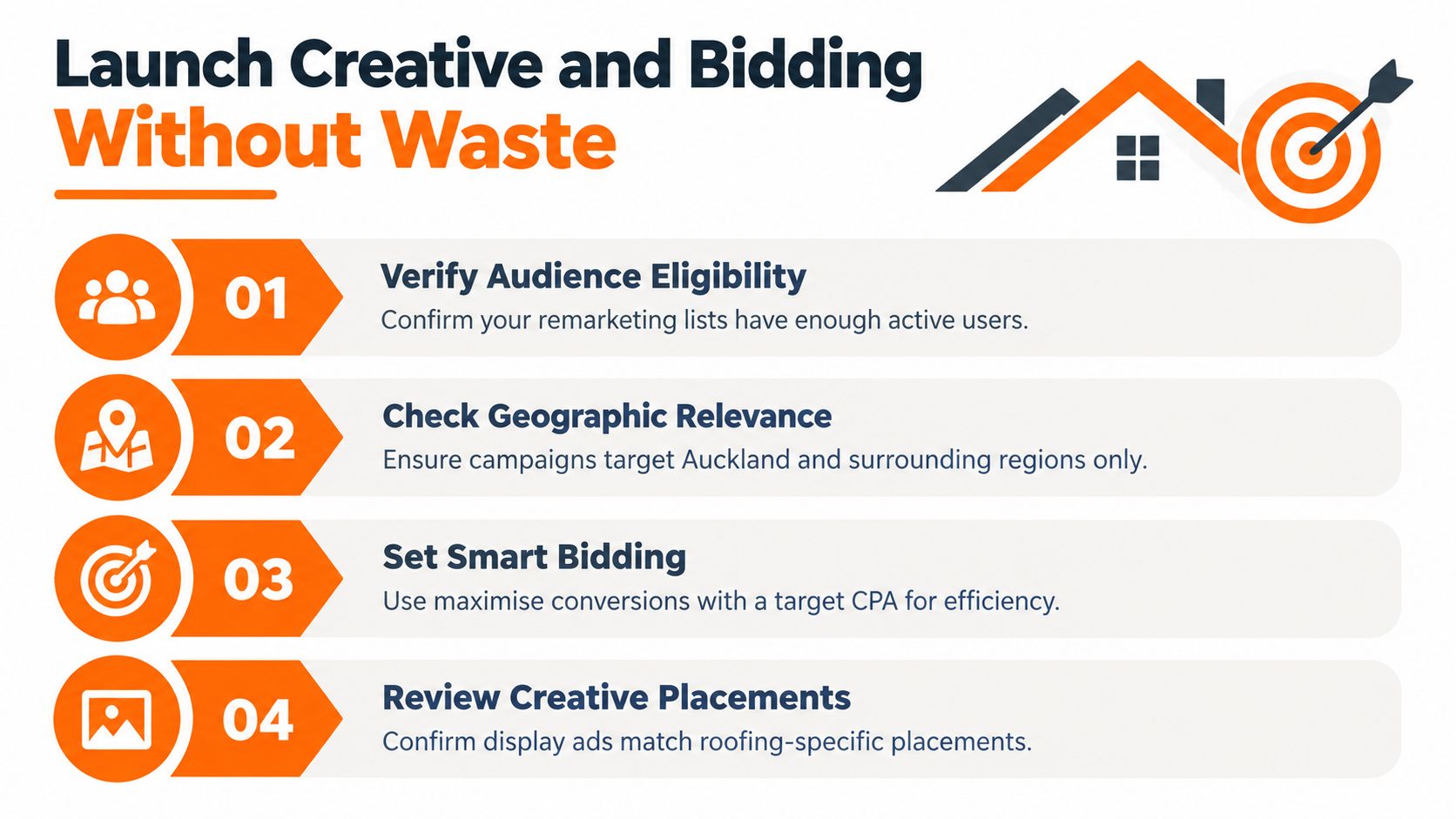
Launch only after each audience passes a basic eligibility check. Confirm the list is populating, consent status is handled, exclusions are applied and the geography matches where your crews work. A small eligible list is workable. A large list full of customers, staff and out-of-area researchers isn’t.
The checklist below covers the controls worth reviewing before spend starts.
Bid for Job Value, Not Cheap Clicks
Cheap display clicks can look efficient while producing no booked work. One NZ-focused guide cites an average cost per click of NZD 1.83 and an illustrative example where NZD 300 per month could produce roughly 190 clicks and a 3.8% conversion rate, according to NZ Apps’ Google Ads budgeting guide. Treat that as a planning example, not a roofing forecast. Your test is simpler: what did a qualified call or booked inspection cost, and what is that job worth if quoted and won?
Bid more aggressively for recent quote-page and form-start audiences than for broad service-page visitors. Reduce bids as recency fades. If an audience produces clicks but no qualified enquiries, fix the message or stop funding it. For placement and format context, review how Google Display Network ads work for roofers alongside your Search structure.
Creative needs one job and one next step. Emergency ads lead with urgent local help and a call action. Reroofing ads show a real local roof, the suburb or region if appropriate, and an inspection prompt. Commercial ads should show scale and professionalism, not a stock photo of a small house. If you need several short video variants for those segments, tools such as ShortGenius automated ad generation can help produce drafts, but you still need accurate claims, real proof and roofing-specific review before anything runs.
This walkthrough is useful for seeing how retargeting fits into a wider Google Ads build before you commit budget.
Before switching a campaign on, check audience separation, message match, service-area settings, frequency controls, conversion goals and exclusion lists one final time.
Verify Eligibility and Fix Retargeting Problems
When results disappoint, diagnose before you spend more. Weak performance can come from consent loss, a broken tag, a tiny audience, poor message match or leads your team doesn’t want. Each problem needs a different fix.
Not every visitor can be remarketed to. Inland Revenue’s cookie guidance describes retargeting as advertising to people who previously interacted with a campaign and notes that tracking permissions affect whether users can receive retargeted ads. Build your plan around that reality. If someone can’t be reached through remarketing, your fallback is strong Search coverage, a clear landing page and fast follow-up on enquiries you do capture.
Run Troubleshooting in Order
- Check the signal: Does the tag fire once on key pages, form submissions and phone interactions?
- Check eligibility: Are audiences populating, or are consent and policy limits shrinking the pool?
- Check exclusions: Are converted leads and booked customers being suppressed promptly?
- Check duplication: Do call records, forms and CRM entries match reported conversions, without double counting?
- Check economics: Are you paying for qualified enquiries in your service area, or for cheap page views and repeat exposure?
Volume matters for decisions. A local planning reference in Nika Consulting’s New Zealand Google Ads guide advises campaigns to generate at least 100 clicks per month to collect enough optimisation data, alongside a reported average conversion rate of 8.93%. Don’t treat that rate as a promise for roofing. Use the click volume point as a warning: if only a few dozen people reach your quote page monthly, a narrow audience may not produce enough evidence for confident bid or creative changes.
Judge performance against your own baseline using cost per qualified lead and lead-to-job rate. Separate phone calls, completed forms and booked inspections in reporting. Import offline outcomes into Google Ads where possible, including accepted quotes, so optimisation reflects revenue quality rather than easy micro-conversions.
New Zealand’s wider market is mature, with one 2026 industry report estimating digital advertising revenue of NZ$2.967 billion in 2025, up 12% year on year. Growth doesn’t make every impression valuable. If standard display is crowded and your retargeting can’t prove qualified outcomes, put the next dollar into Search, landing pages or call handling first.
Build a Repeatable Roofing Remarketing Routine
Keep the routine small enough that you’ll run it. Remarketing doesn’t need daily tinkering. It needs clean signals, sensible exclusions and regular checks against real enquiries.
Weekly and Monthly Checks
Each week, review:
- Audience size and recency: Lists are populating and urgent visitors aren’t stuck in old sequences.
- Frequency: Recent high-intent visitors see enough to remember you, not enough to tune you out.
- Geography: Spend stays inside suburbs and regions your crews can service profitably.
- Lead quality: Calls and forms match the services and job sizes you want.
Each month, compare qualified calls, completed quote requests, booked inspections and accepted quotes by audience. Move budget towards segments that produce inspections your team can win. Cut segments that only produce cheap clicks, price shoppers or out-of-area enquiries.
Privacy belongs in the same routine. New Zealand has no cookie-specific law requiring one universal opt-in or opt-out model, but Chambers’ privacy comparison guidance notes that Privacy Principle 3 requires reasonable steps to tell people information is being collected, why, and who may receive it. Review your notice when tags, audiences or purposes change.
Mobile behaviour also supports disciplined follow-up rather than blanket targeting. DataReportal’s Digital 2025 New Zealand report recorded 6.03 million active cellular connections in early 2025, equal to 115% of the population. Prospects move between devices, so you won’t reconnect with everyone perfectly. Accept that limit and focus on eligible, high-intent visitors you can measure properly.
A smaller audience of genuine quote researchers is more useful than a large list padded with customers, employees and casual readers.
Retargeting should assist the sale after Search and your website have done their jobs. Capture demand well, convert the visit clearly, then use remarketing selectively to bring back people who were close.
Bluelight builds and manages roofing-only Google Ads systems that connect Search, remarketing, landing pages and call tracking to qualified roofing enquiries. If your retargeting is spending without proving booked inspections and quote requests, visit Bluelight to discuss a setup built around your service areas, job types and capacity.
Related service Google Ads for Roofers